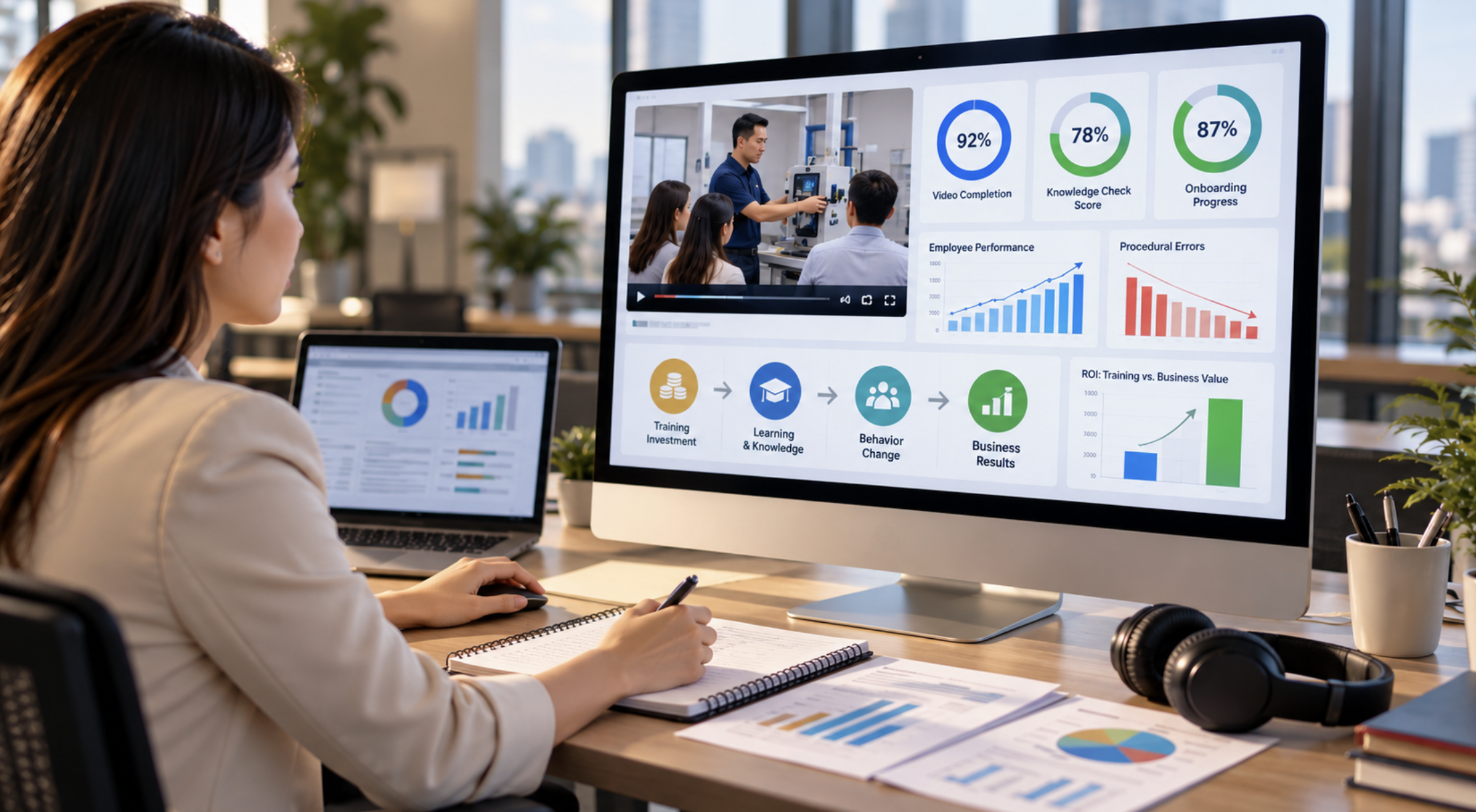
You made a training video. Now someone with a budget wants to know whether it worked. That's a fair question, and you can answer it without an LMS or a data team. You need a clear goal, a baseline, and a few follow-up measurements.
RaffertyWeiss Media has produced eLearning and training video for more than 25 years for federal agencies, associations, universities, and companies in Washington, D.C. and nationwide. Here's how we help clients plan training so they can show what it accomplished.
A Simple Framework: The Kirkpatrick Model
.png)
The Kirkpatrick model is a widely used way to evaluate training. It looks at four levels: reaction, learning, behavior, and results. Here's how each one applies to a video.
| Level | Question it answers | How to check it for a video |
|---|---|---|
| Reaction | Did learners find it useful and relevant? | A short survey or feedback form |
| Learning | Did they gain the knowledge or skill? | Knowledge checks before and after |
| Behavior | Are they using what they learned? | Manager observation, spot checks, or a follow-up survey |
| Results | Did it help produce the result you wanted? | Performance metrics before and after, noting other changes |
You don't have to measure all four every time. Pick the levels that match what the video is supposed to do.
Decide What Should Change Before You Film
.png)
The most important measurement decision happens before production starts. Pick one behavior or result the video should change: fewer errors, faster onboarding, fewer incidents, fewer help-desk tickets, or more consistent use of a required process.
"Employees will understand the new procedure" is a start. It becomes measurable when you tie it to something you can observe, such as:
- Employees complete the new process correctly.
- New hires reach competency sooner.
- Staff make fewer common procedural errors.
- Employees follow a compliance process consistently.
- Fewer questions reach the support team about a topic the video covers.
Then set the performance standard and the review period.
That decision shapes the production, too. A procedure video may need a clear demonstration, chapters, and a knowledge check. Onboarding often works better as a series of short modules. Compliance training needs clean completion records. For the AARP Smart Driver course, for example, we organized the content into 18 videos across six modules so it would work both self-paced and in instructor-led classes. Find Your Safest Fit is one lesson from that series.
We'll build the script, structure, visuals, and knowledge checks around the outcome you plan to measure.
Take a Baseline Before Rollout
Before launch, record the number that matters for your goal. A spreadsheet is fine. Depending on the goal, you might record:
- Errors during a set period
- Average time to complete a task
- Support questions received
- Incidents or corrections
- Current assessment scores
- How long new hires take to reach competency
- A manager's observation of how consistently a process is followed
Note the time period along with the number. If you track help-desk questions, record how many came in during a specific month.
After rollout, measure a comparable period the same way. Adjust for changes in workload: errors per completed task is a fairer comparison than total errors when volume changes.
Also write down anything else that changed during that time, such as a new manager, a revised process, a software update, or other training. Honest reporting names those factors instead of crediting the video with everything.
What Video Data Can Tell You
Video platforms and learning systems show you what happens while people watch. That's useful, but it's only part of the picture.
Completion, Drop-Off and Rewatching
Completion rate usually means the share of views that reach the end. Check how your platform defines it, and whether it counts views or individual learners.
Drop-off shows where people stop watching. If many leave at the same point, that section may be too long, unclear, or not relevant to them. Interruptions and playback problems can also cause drop-off, especially for frontline and mobile workers.
Rewatching can mean a section is useful as a reference, or that it's confusing. Either way, it tells you where to look.
Keep in mind that completion isn't learning. Someone can watch every second and miss the point. Treat viewing data as evidence of engagement and access. There's no universal completion rate that means success; it depends on the purpose, the audience, and the format.
If You Have an LMS
An LMS can bring viewing and learning data together. SCORM is a set of specifications for packaging eLearning so it can report completion status and scores to a compatible LMS. xAPI is another standard that collects learning activity across different environments. What you can report depends on how the content and the LMS are set up.
Our eLearning production includes SCORM-packaged and xAPI-compatible content, and we confirm your tracking requirements early. For the National Institute on Drug Abuse, we built an interactive continuing medical education course inside the client's own LMS. Treating Pregnant and Parenting Women with Opioid Use Disorder comes from that work.
If You Don't Have an LMS
You can still measure. Your video host may show basic viewing data. A short form or quiz captures what people learned. A sign-off sheet records acknowledgment, though you should check whether that meets your documentation requirements. A simple spreadsheet pulls it all together:
| Measurement | Before video | After video |
|---|---|---|
| Knowledge-check score | Baseline | Follow-up |
| Process errors | Baseline | Follow-up |
| Completion | N/A | Recorded |
| Manager observation | Baseline | Follow-up |
| Business result | Baseline | Follow-up |
Consistency matters more than tools. Decide what you'll record before rollout so the follow-up has something to compare against.
Whichever approach you use, tell learners what's tracked and why, and agree with HR or your privacy team on access, retention, and consent before you collect individual records.
Did People Learn It? Knowledge Checks
A knowledge check shows what learners understand at that moment. Base the questions on the goal you set before production. If the video teaches a procedure, test the critical steps. If it explains a policy, test the decisions people actually have to make.
Keep it short. Ask the same questions before and after so you can compare, and repeat them later if you want to check retention. Questions can sit inside an interactive video or in a short quiz afterward. What matters is that they test what the video was built to teach.
For compliance programs, record completion and assessment results separately. Completion shows that someone met the program's requirements; the check shows what they understood. Our guide to compliance training videos covers documentation in more detail.
Are People Doing It Differently?
For most training, the real test is whether people use what they learned. A manager can watch whether a new procedure is followed. A supervisor can spot-check. A short survey can ask employees whether they're using the process, though self-reported answers are best checked against observation.
Start when learners have had a chance to use the skill. Follow-ups at 30, 60, or 90 days show whether the change sticks. A daily procedure shows results quickly; something people do once a quarter needs more time. Use the same method you used for the baseline.
Business Results: Errors, Incidents and Time to Competency
The last question is whether the training helped the organization. Possible measures include:
- Fewer errors or incidents
- Fewer support requests
- Less time spent fixing mistakes
- Faster onboarding and shorter time to competency
- Less instructor and travel time
- More consistent performance on a defined process
Time to competency is how long it takes a learner to meet a defined standard for a task or role. To evaluate onboarding and microlearning videos, compare how long new hires take to work independently before and after rollout, using the same criteria.
Other changes can affect results, too. A simpler process, extra coaching, or a new system can all lower error rates. Say what else changed, and compare similar roles, workloads, and periods. Your conclusion will hold up better.
Training Video ROI: The Formula and a Worked Example
Once you've measured the outcome and estimated its dollar value, you can calculate ROI. Use costs and benefits from the same period. The basic formula, the same one used for training ROI in general, is:
ROI (%) = (benefits − costs) ÷ costs × 100
What Goes in the Cost Column
- Video production
- Staff time to develop, review, and take the training
- Hosting or LMS costs for this training
- Internal administration
- Updates and refreshes
- Other costs directly tied to rolling out the training
Decide what you're including and apply it the same way every time. For production budgets, see our guide to what video production costs.
What Goes in the Benefit Column
Benefits should come from measured changes and be expressed in dollars:
- Employee time saved
- Errors avoided
- Less time spent correcting mistakes
- Travel no longer needed
- Instructor time no longer spent repeating the same session
Count only benefits you can reasonably connect to the video, and don't count the same savings twice. If a benefit has no clear dollar value, report it separately instead of attaching a number you can't support.
A Worked Example
For illustration only, suppose an organization trains 500 employees over one year. The video's total cost, including production, learner time, hosting, administration, and updates, is $20,000. Delivering the same training in person, also including learner time, would cost $25,000. The video replaces the in-person sessions for the same learners and the same learning goal.
| Delivery option | Total cost | Cost per learner |
|---|---|---|
| In-person training | $25,000 | $50 |
| Training video | $20,000 | $40 |
The organization also estimates $5,000 in avoided error costs it can reasonably attribute to the video. Total benefits are $25,000 in avoided in-person costs plus $5,000 in avoided errors, for $30,000.
($30,000 − $20,000) ÷ $20,000 × 100 = 50% ROI
This is a hypothetical, not a quote or a promised return. Your numbers depend on your own costs, your baseline, and how you assign benefits. For more on per-learner costs, see our guide to training and instructional video for organizations.
Production Choices That Make a Video Measurable
Measurement starts with how the video is built. These are the choices we make with clients:
- One main goal per video. A focused objective makes the right test and metric obvious.
- Chapters or short modules. Content is easier to navigate, and section-level drop-off data becomes useful where your platform supports it. Our Providing Basic Trauma Care series, for example, breaks the material into short lessons such as Applying a Tourniquet.
- A knowledge check. Questions test the specific knowledge or decisions the video teaches.
- Captions. They make training accessible, help in workplaces where audio is hard to use, and support people who prefer to read along.
- A plan for updates. Policies and systems change. Record which version each learner completed so you can read results correctly when the content changes.
We produce training with live action, animation, and remote production, and we match the format to the learning goal. Our Urban Land Institute course trailer comes from a five-module real estate course we filmed in Washington, D.C. and Chicago. Our Workplace Harassment Refresher Training series covers one focused topic per short video. You'll find more on our training work page.
Reporting Results to the Budget Holder
Your budget holder wants one page. Give them:
- Goal: what the training was supposed to change
- Baseline: what was happening before rollout
- Result: what changed, and over what period
- Cost: what production and rollout cost
- ROI: the estimate and the assumptions behind it, or a note that the benefits couldn't be valued reliably
- Next step: what to keep, change, update, or measure next
Put the supporting detail underneath: completion data, knowledge-check scores, manager observations, and notes on anything else that changed during the period. Keep what the data shows separate from what you estimate the video contributed.
A training video doesn't have to be the only reason results improved to be worth the investment.
Frequently Asked Questions
Pick the result the video should influence and take a baseline before launch. After rollout, measure learning, behavior, and the target result. Estimate the dollar value of benefits you can reasonably attribute to the video, total the costs, and apply ROI (%) = (benefits − costs) ÷ costs × 100.
There isn't one number. Read completion alongside the purpose of the training, the audience, the format, knowledge-check results, and behavior or business outcomes. Check how your platform defines completion, and remember that finishing a video doesn't prove someone learned or applied it.
No. An LMS makes tracking easier, but you can measure with video-host analytics, quizzes, surveys, sign-off records, manager observations, and a spreadsheet.
More than once, if you can. Measure right away for completion and understanding, then follow up to see whether people are applying what they learned. Daily tasks show change quickly; less frequent ones take longer. Check-ins at 30, 60, or 90 days work well for behavior change.
Use ROI (%) = (benefits − costs) ÷ costs × 100. Define which costs and dollar benefits you're including, subtract costs from benefits, divide by costs, and multiply by 100. For training, benefits often include time saved, errors avoided, reduced travel, and instructor time freed up.
Measure What Matters
We'll help you set the learning goal, structure, knowledge checks, and delivery requirements before filming, so you can show what your training video accomplished.
Planning a training project? Talk to us about your next training video.
.webp)